
 1K
1K


Smash DIY Slime - Fidget Slimy - Virtual Sensory & Fluid Dynamics Sandbox
What is Smash DIY Slime - Fidget Slimy?
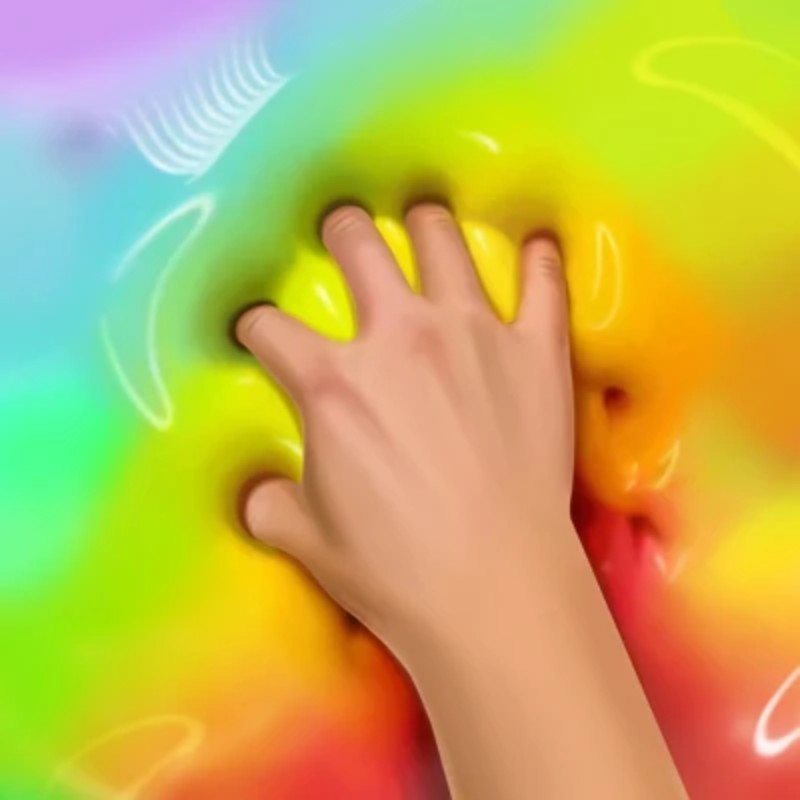
Smash DIY Slime - Fidget Slimy (commonly known as Smash Slime) is an immersive virtual sensory playground and simulation engine that brings the tactile satisfaction of ASMR crafting straight to web browsers. Operating as a mess-free digital laboratory, the game allows players to synthesize customized virtual slime ("lizun") completely from scratch. Hosted on the Decent Games portal, the mechanics balance creative expression with clicker-style progression, tracking your material manipulation across an array of chemical bases, vibrant color gradients, and interactive 3D add-ins.
🎮 Gameplay Overview
-
Fluid Mechanics 2.0 Engine: The core physics layer simulates highly realistic non-Newtonian fluid behaviors. Slimes realistically stretch, sag under virtual gravity, deform upon impact, and tear if pulled with excessive velocity.
-
Granular ASMR Sound Synthesis: The audio engine generates material-specific soundscapes. Interacting with your creation outputs distinct audio profiles—such as wet squishes, crisp bubble pops, and deep, vibrating pulls—tailored to your current texture density.
-
The Evolution Meta & Upgrades: Playing doubles as an incremental idle game. Interacting with your slimes generates a steady stream of currency, which is reinvested to evolve your formulas and permanently unlock high-tier visual styles like Galaxy Glow or Liquid Gold.
-
Dynamic Material Texturing: The crafting interface maps independent properties across your slime canvas, allowing you to fine-tune your creation's transparency, glossiness, elasticity, and stickiness.
🕹️ Official Control Guide (The Slime Lab)
| Action Matrix | Desktop (PC / Keyboard) | Operational Tactical Manipulation Focus |
| Squish / Poke Surface | Mouse Left Click | Tap the slime body to trigger a localized indentation and a bubble pop. |
| Tactile Stretch & Pull | Left Click & Drag | Grab a coordinate point and pull horizontally or vertically to expand the mesh. |
| 360° Model Rotation | Right Click & Drag | Orbit the camera around the mixing bowl to view your 3D slime from any angle. |
| Incorporate Add-ins | Drag & Drop | Pluck charms, glitter particles, or fruit slices from the shelf and sink them into the fluid. |
| Rapid Currency Clicker | Spam Left Click | Actively punch the slime body to rapidly farm coin tokens. |
| DIY Laboratory Menu | Esc Key / Tab Key | Pause the interaction layer to modify active colors, toggle mirror effects, or swap textures. |
💡 Slime Master Tactics: Winning Strategies
Optimize the Idle Evolution Loop 📈
Do not spend hours manually spamming low-value clicks on a standard baseline slime formula. To unlock high-tier, profitable components quickly, use your initial coin stash to rapidly scale your slime's Evolution Tier via the laboratory menu. Reaching higher evolution markers updates your material matrix into premium states like Liquid Gold or Rainbow Cloud. These advanced configurations don't just look unique; they generate a continuous stream of passive income, automating your token collection while the game tab runs in the background.
Maximize Your Satisfying Score via the Mirror Effect 🪞
When finalizing a complex custom design inside the DIY workshop, do not leave the background setting on a flat matte color block. Navigate to the advanced modifier panel and activate the Mirror Feature. This tool rewrites the slime's surface shaders, forcing the virtual fluid to interactively reflect the surrounding environment. This creates a shifting, kaleidoscopic visual pattern that instantly triggers a 50% Satisfying Score multiplier, maximizing your prestige placement on the global Zen leaderboards.
Execute Slow Pulls to Lower the Anxiety Meter 🧘♀️
When navigating specialized "Stress Situation" career levels, avoid the urge to rapidly click or punch the slime grid. Fast, chaotic movements trigger high-pitched, staccato sound effects that fail to register on the game's relaxation tracking parameters. Instead, slow down your inputs and execute Long, Deliberate Drags (Left Click & Drag) across the full width of your monitor canvas. The audio engine rewards these slow kinetic movements with deep, vibrating, low-frequency acoustic waves that lower the localized Anxiety Meter at a accelerated rate.
Layer 3D Objects for a Hidden Treasure Bonus 💎
Avoid dropping your decorative charms casually on top of an opaque, solid slime surface where they remain purely cosmetic. Instead, synthesize a high-transparency Clear Jelly base. Once your base fluid is set, meticulously layer your 3D add-ins—such as gemstone crystals or miniature toy figures—deep inside the core of the mixture. Burying objects completely within a transparent mesh forces you to physically poke and parse through the jelly layers to "locate" them during gameplay, a mechanic that regularly triggers a high-value Treasure Bonus payout.
🌍 Preservation & Device Compatibility
Play Smash DIY Slime - Fidget Slimy unblocked securely at work or school via verified Decent Games preservation portals. Powered by a low-footprint HTML5 engine wrapper integrated with responsive WebGL fluid-rendering scripts, the software processes real-time mesh deformation, dynamic shadow overlays, and high-fidelity haptic audio layers cleanly at a locked, stable 60FPS. The lightweight web container effortlessly sails around strict institutional, educational, and school network firewalls, delivering a lag-free sensory relaxation experience directly inside modern internet browser tabs across Chromebooks, portable laptops, and desktop computers with no standalone client installations required.
![[GAMENAME]](/[BGIMGURL])
 [RATE]