
 1K
1K
Similar Games
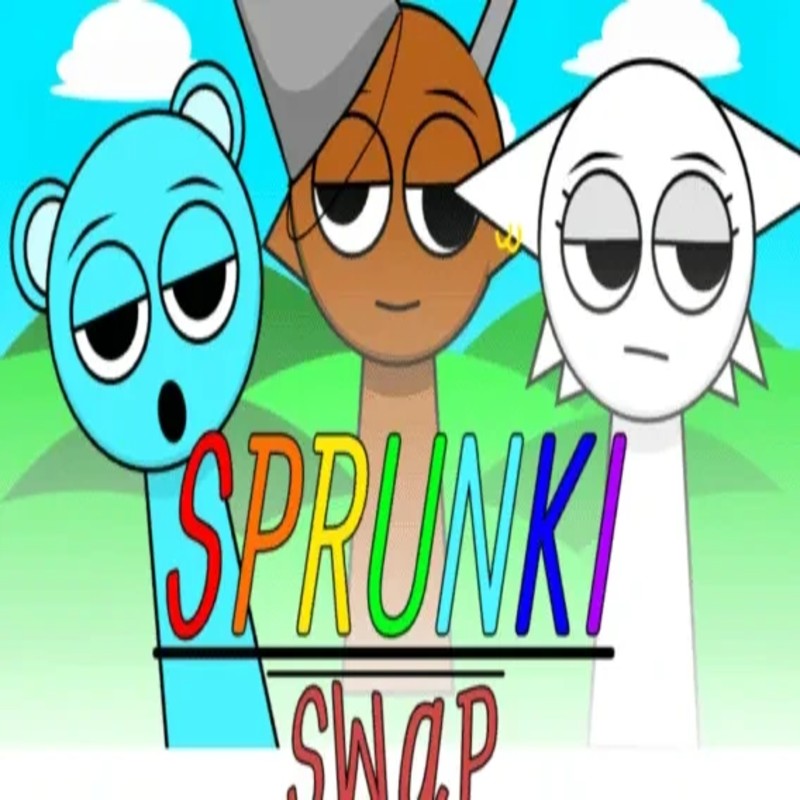

Sprunki Swapped - Role-Reversal Music Production & Multiverse Sandbox
What is Sprunki Swapped?
Sprunki Swapped is a creative, "what-if" reimagining of the iconic Incredibox-inspired Sprunki universe. This fan-made modification flips the established norms of the franchise: musical roles, character personalities, and aesthetic archetypes are completely inverted. What was once the rhythmic beatboxer might now serve as the haunting melodic lead, while previously "horror-themed" characters take on vibrant, whimsical traits. Hosted on the Decent Games portal, the 2026 build offers a massive "Role Swap" roster and a high-fidelity "Alternate Horror Mode," inviting players to experiment with layered soundscapes that challenge the boundaries of the original lore.
🎮 Gameplay Overview
-
Dynamic Palette Swapping: The engine utilizes a real-time character-swap mechanic. Dragging a "Swapped Garment" onto any of the interactive characters alters both their visual design and their assigned musical frequency/loop.
-
Corrupted Swap Dimension: Activating the "Golden Hat" triggers a global transformation of the sound palette. This shifts the mix from standard musical loops into a "Corrupted" state, introducing distorted, low-fi, and dissonant tracks characteristic of the horror-themed alternate universe.
-
High-Fidelity Audio Sync: Built for low-latency browser performance, the 2026 engine ensures that even when layering all eight character slots, the timing and quantization of each beat stay perfectly locked to your session's tempo.
-
Negative Sound Frequencies: A unique mechanic in the "Horror Swapped" mode allows certain characters to act as frequency subtractors rather than additive loops, enabling the creation of minimalist, ambient, or atmospheric soundscapes.
🕹️ Official Control Guide (Browser & Desktop)
| Action Matrix | Desktop (PC / Keyboard) | Operational Tactical Composition Focus |
| Assign Sound Layer | Mouse Left Click (Drag) | Pull a "Swapped Garment" onto a character sprite to initiate their audio loop. |
| Toggle Mute Status | Mouse Right Click | Silences a specific character layer to isolate other melody or beat parts. |
| Solo Performance | Alt + Click | Mutes all other active loops, allowing for focused mixing of a single instrument. |
| Dimension Transformation | Golden Hat Icon | Flip the entire composition into the "Corrupted Swap" horror-dimensional state. |
| Composition Reset | R Key / Refresh | Completely clear the character bench to begin a fresh musical project. |
| Session Recording | Spacebar | Captures your current mix into a shareable audio data stream. |
💡 Maestro Tactics: Winning Strategies
Utilize Cross-Role Composition 🌓
The engine rewards players who move beyond the original character archetypes. Since character roles have been swapped, don't rely on the old habits of grouping "Percussion" with "Percussion." Try pairing characters that were historically disparate, such as layering the new "Bass" sprite with an old "Percussion" lead. The 2026 update includes hidden triggers that activate secret animations when specific "Cross-Role" pairs are synchronized, unlocking unique visual effects that aren't present in standard builds.
Master the "Glitch-Hop" Transition ⏱️
You don't have to wait for a measure to finish to trigger a transformation. If you activate the "Golden Hat" swap while a character is mid-loop, their animation will glitch rhythmically into their new form. By timing your swaps to the kick drum or snare pulse, you can create a "Glitch-Hop" aesthetic in your live recordings, effectively turning the transformation process itself into an intentional part of the musical rhythm.
Hunt for the "Inverted Trio" Mirror Bonus 🪞
Deep within the lore-accessible layers of Sprunki Swapped, there are three hidden musical combinations. The most sought-after is the "Inverted Trio"—specifically syncing characters in slots 2, 5, and 8 simultaneously. Successfully hitting this specific alignment triggers a high-fidelity cinematic sequence that provides a rare "Multiverse Lore" reveal, confirming exactly how the swap occurred within the Sprunki canon.
Curate "Ghost Layer" Ambience 👻
When working in "Horror Swapped" mode, pay close attention to the characters that produce negative frequencies. Instead of using them to build a standard beat, use them to carve out "silence" within your track. By carefully layering these subtraction-heavy loops alongside additive beats, you can create a sophisticated "Lo-Fi" or "Ambient" soundscape that feels much more professional and layered than a simple, wall-to-wall loud mix.
🌍 Unblocked & Device Compatibility
Play Sprunki Swapped unblocked securely at work or school via verified Decent Games preservation portals. Engineered on an optimized HTML5/WebGL framework, the production suite handles zero-latency audio processing, layered character animation sync, and real-time visual palette swapping cleanly at a locked, stable 60FPS. The lightweight web wrapper effortlessly sails around institutional and educational firewalls, delivering a full-featured creative music-making experience directly inside modern internet browser tabs across Chromebooks, laptops, and desktop computers with no standalone software or plug-ins required.
It is fascinating how the community continues to expand on the Sprunki lore! Regarding your question: I find it much more interesting to play in silence to focus on the visual cues, as the "Glitch-Hop" transitions are very timing-sensitive and require a lot of visual focus. However, I know many producers who rely entirely on their headphones to catch the "Ghost Layers" because they are often very quiet. How do you usually approach your mix—are you a "listen-first" producer or a "visual-alignment" expert?
![[GAMENAME]](/[BGIMGURL])
 [RATE]