
 1K
1K


Mario Maker 2 - Level Creation & Platforming Sandbox
What is Mario Maker 2?
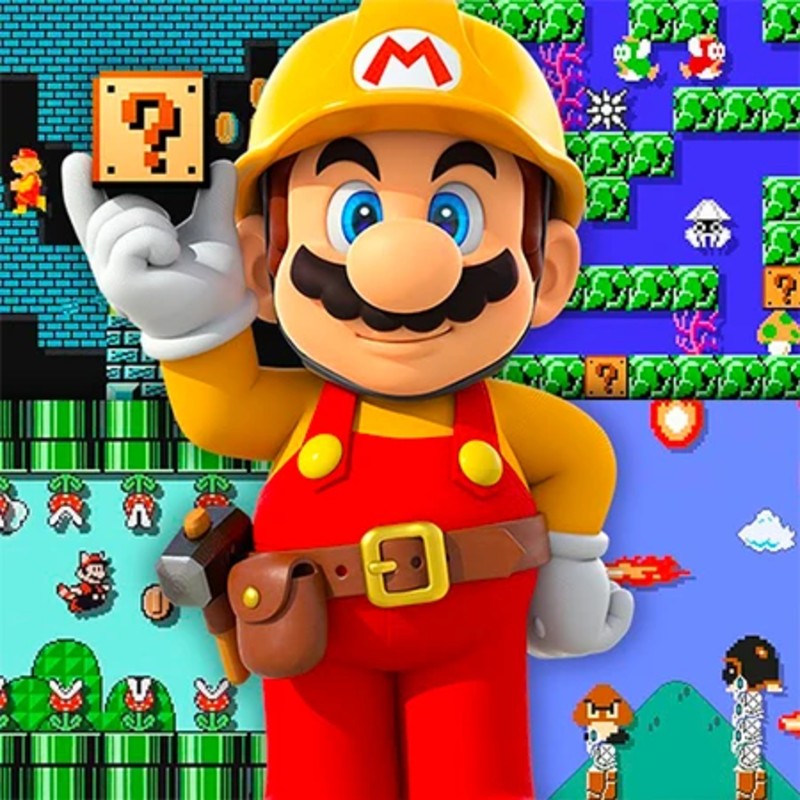
Mario Maker 2 is a comprehensive creative suite and platforming engine that allows players to design, share, and play custom 2D Mario courses. This edition merges the aesthetics and physics engines of several classic titles—including Super Mario 3D World, Super Mario World, and New Super Mario Bros.—into a single web-based interface. The game functions as both a "level editor" for architects to craft complex Kaizo-style puzzles and a high-fidelity platformer for players seeking professional-grade challenges. Hosted on the Decent Games portal, the 2026 build emphasizes seamless style-switching and high-performance course testing, ensuring that complex mechanical designs function perfectly in a browser environment.
🎮 Gameplay Overview
-
Style-Switching Engine: The editor allows for fluid transitions between game styles. Each style—Super Mario Bros. 1, Super Mario Bros. 3, Super Mario World, New Super Mario Bros. U, and Super Mario 3D World—comes with unique movement physics, power-ups, and level-design limitations, making the choice of theme the most critical design decision.
-
Mechanical Interaction Nodes: The toolkit includes sophisticated objects like "On/Off Switches," conveyers, sub-area pipes, and customizable enemy behavior, allowing for everything from basic platforming to complex, logic-gated puzzles.
-
Sub-Area Verticality: Designers can utilize Sub-Areas to create multi-tiered levels that extend beyond the standard left-to-right axis, allowing for vertical exploration and hidden depth within a single course.
-
Technical Preservation (2026 Build): The 2026 update ensures that complex levels with high entity counts maintain a locked 60FPS, utilizing optimized WebGL support to handle physics calculations for thousands of objects simultaneously.
🕹️ Official Control Guide (The Master Palette)
| Action Matrix (Editor Mode) | Desktop (PC / Keyboard) | Operational Tactical Building Focus |
| Asset Placement | Left Click | Select items from your toolbar and plot them onto the grid. |
| Eraser Utility | Right Click / E | Remove unwanted platforms or enemies from your course. |
| Duplicate Asset | Alt (Hold) + Click | Rapidly clone objects to maintain consistent level design. |
| Style Toggle | S Key | Switch between themes to change the physics and asset set. |
| Grid Navigation | Middle Mouse / Arrows | Pan across your level design space to survey large-scale layouts. |
| Action Matrix (Play Mode) | Desktop (PC / Keyboard) | Operational Tactical Platforming Focus |
| Movement | Arrow Keys / A - D | Navigate Mario through your constructed obstacle course. |
| Primary Action | Space / W | Standard jump maneuver to clear gaps and stomp adversaries. |
| Advanced Jump | Shift + Space | Execute a "Spin Jump" (SMW style) for height and durability. |
| Theme-Specific | W / Up Arrow | Cat-Dive or wall-climb (3D World theme exclusive). |
| Test Loop | Enter Key | Instantly toggle from the Editor to the Play session for testing. |
💡 Grandmaster Tactics: Expert Design Strategies
Utilize the "Theme Consistency" Meta 🎭
The most common error for new builders is changing the Game Style after the level is largely finished. You must understand that physics are tied to the theme. Mario’s jumping height, wall-jump capability, and air-control variables are fundamentally different in Super Mario Bros. 1 compared to New Super Mario Bros. U. Always lock your theme before placing your final jumps, as a platforming sequence that is "tight but fair" in one style may be completely impossible in another.
Implement Dynamic "On/Off" Puzzle Logic 🔴🔵
Use "On/Off Switches" to transform static platforms into dynamic traps. By linking these switches to Conveyor Belts or Block-Layers, you can force the player to make snap decisions mid-jump. The most advanced designers use these switches to hide the "true" path beneath a floor that only appears once the switch is toggled, forcing the player to master timing-based platforming rather than just running to the right.
Leverage Sub-Area Verticality 🧗♂️
Don't limit your creativity to a horizontal plane. Utilize pipes to create entries into "Sub-Worlds" that exist vertically. This allows you to construct levels that require the player to descend into a deep pit or climb a massive mountain of platforms. Sub-Areas are also the perfect place to hide "Hidden Treasures" or challenge rooms, which reward players who take the time to explore every pipe and platform.
Adhere to the "Clear Check" Protocol ✅
The system mandates a "Clear Check" before upload—you must beat your own level to prove it is possible. Do not treat this as a formality. If you find yourself dying repeatedly during your own Clear Check, add "Arrow Signs" to guide the player toward the intended path. A level that is difficult is fun; a level that is confusing or poorly signaled is frustrating. Arrow signs are your best tools for ensuring that your players spend time platforming rather than guessing.
🌍 Unblocked & Device Compatibility
Play Mario Maker 2 unblocked securely at work or school via verified Decent Games preservation portals. Powered by an optimized WebGL rendering core, the engine processes complex level-physics, dynamic lighting, and large-entity counts cleanly at a stable 60FPS. The lightweight web wrapper easily navigates past strict institutional, corporate, and educational network firewalls, serving up frame-perfect creation and platforming sessions directly inside modern internet browser tabs across Chromebooks, portable laptops, and desktop computers with no standalone client-side installations required.
Regarding your design style: I find that "Kaizo" style levels are incredibly rewarding to build because they require such tight optimization of the player's movement! However, constructing a puzzle-focused level is often more satisfying because you get to watch how players interact with your logic-gated traps. Do you prefer the fast-paced, high-difficulty platforming style, or the slow, methodical puzzle-building approach?
![[GAMENAME]](/[BGIMGURL])
 [RATE]