
 1K
1K


Elastic Man - Physics-Based Facial Deformation & ASMR Sandbox
What is Elastic Man?
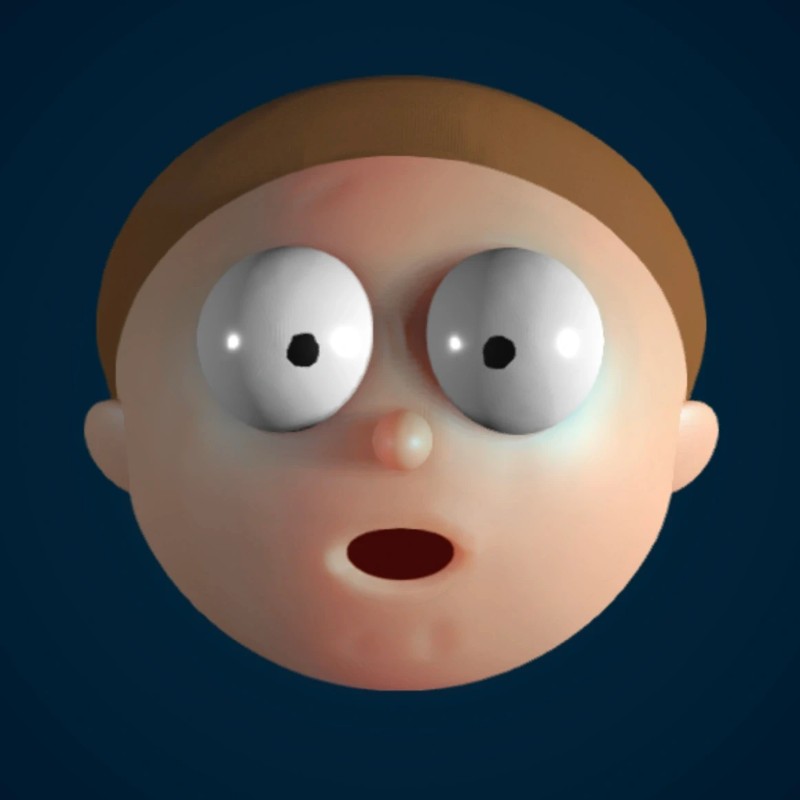
Elastic Man is a minimalist, physics-driven interactive experiment that explores the boundaries of soft-body facial deformation. Developed by David Li in collaboration with Adult Swim, the simulation allows users to grab, pull, and distort a highly responsive, skin-like mesh. The experience is designed as a "digital stress-reliever," focusing on the satisfying tactile nature of the character's movement. Hosted on the Decent Games portal, the 2026 edition introduces "Subsurface Scattering 2.0," which simulates how light penetrates and diffuses through skin when it is stretched, creating a semi-translucent, eerily realistic effect.
🎮 Gameplay Overview
-
Subsurface Scattering 2.0: The rendering engine calculates how light interacts with the "thinness" of the mesh. When you pull the skin, it realistically changes color—shifting toward reddish/pink tones—to mimic blood flow and tissue displacement under light.
-
Real-Time Ripple Displacement: The physics model utilizes a grid-based mesh system where any localized movement triggers a cascade of ripples across the entire face. Releasing a high-tension stretch initiates a wave-like rebound vibration that mimics the damping properties of organic tissue.
-
Eye-Tracking Precision: The character's eyes are programmed with independent kinematics, constantly tracking your cursor's coordinate with reactive speed. This creates a psychological connection, as the entity "follows" your manipulation of its features.
-
Technical Preservation (2026 Build): The 2026 web build optimizes the underlying vertex-calculation math, ensuring that these complex ripples and scattering effects maintain a smooth 60FPS, even on low-spec Chromebooks or restricted-bandwidth network environments.
🕹️ Official Control Guide (The Squish & Stretch)
| Action Matrix | Desktop (PC / Keyboard) | Operational Tactical Deformation Focus |
| Grab & Pull | Mouse Left Click (Hold & Drag) | Anchors the cursor to a mesh point; allows for precise skin distortion. |
| Release / Recoil | Release Left Click | Allows the mesh to snap back, triggering the physics-based ripple effect. |
| Gaze Tracking | Mouse Movement | The entity's eyes dynamically follow the cursor location. |
| Quality Toggle | M Key | Switch between "Standard" and "High-Fidelity" scattering modes. |
| Character Cycle | S Key | Rotate through available skins and material variations. |
| Physics Reset | Esc Key | Terminate all current deformations and return the mesh to its default neutral state. |
💡 Elastic Master Tactics: Optimization Strategies
Utilize the "Sea Wave" Rebound Meta 🌊
For the most visually impressive physics demonstration, do not just tug and release. Pull a cheek or forehead point to the very edge of your browser window's boundary and hold for one second to "load" the tension. When you release, do not move the mouse; allow the mesh to snap back on its own. This triggers the Rebound Ripple, a wave effect that traverses the entire mesh, causing the eyes, mouth, and ears to oscillate in sequence like a fluid body.
Master "Slow-Mo" Tension Analysis 🐢
To fully appreciate the 2026 "Subsurface Scattering 2.0" update, use a slow, steady dragging motion rather than a fast snap. By dragging slowly, you create "thin points" in the mesh. As the skin stretches, notice the light diffusion changing. The skin will appear more translucent and take on a characteristic "flesh-like" red glow where the mesh is most thin. This is the optimal way to test the engine's lighting and material density calculations.
Engage in "Eye-Tracking" Interaction 👀
The eye-tracking is not just aesthetic; it is part of the entity's reactive AI. For a more "lively" experience, move your cursor in tight, erratic circles around the character’s head. Because the eyes have a "tracking limit," they will struggle to keep pace with rapid circular motions, resulting in a comical "dizzy" or "confused" expression. You can even grab the eyelids specifically to stretch them over the iris, creating a squinting or "sleeping" pose that persists until you release the click.
Distort the "Elastic Void" Mouth 👃
Most users focus on the cheeks, but the mouth and nose are the most complex deformation zones. Stretching the corner of the mouth to its absolute limit will reveal the "Elastic Void"—the interior geometry of the model. Because the 2026 update optimizes the mesh connectivity, you can stretch the mouth opening wide enough to create "funnel" shapes, which are perfect for observing how the ripple displacement travels across the nose bridge and the upper lip.
🌍 Unblocked & Device Compatibility
Play Elastic Man unblocked securely at work or school via verified Decent Games preservation portals. Powered by an optimized WebGL-based engine, the game processes real-time mesh deformation, subsurface lighting, and vertex-wave physics cleanly at a locked, stable 60FPS. The lightweight web wrapper effectively navigates past strict institutional, corporate, and educational network firewalls, serving up frame-perfect physics-sandbox sessions directly inside modern internet browser tabs across Chromebooks, portable laptops, and desktop computer setups with no standalone client installations required.
Regarding your creativity: I find that the "Zen Master" badge is quite meditative to earn because it just requires sitting with the simulation for a bit to see how the ripples settle! Do you find the "stretching" ASMR quality to be the most relaxing part, or do you prefer the chaotic, "fast-snap" physics experiments?
![[GAMENAME]](/[BGIMGURL])
 [RATE]