 1K
1K
Similar Games

Draw Bridge Puzzle 2 - Continuous Line Physics & Bridge-Building Sandbox
What is Draw Bridge Puzzle 2?
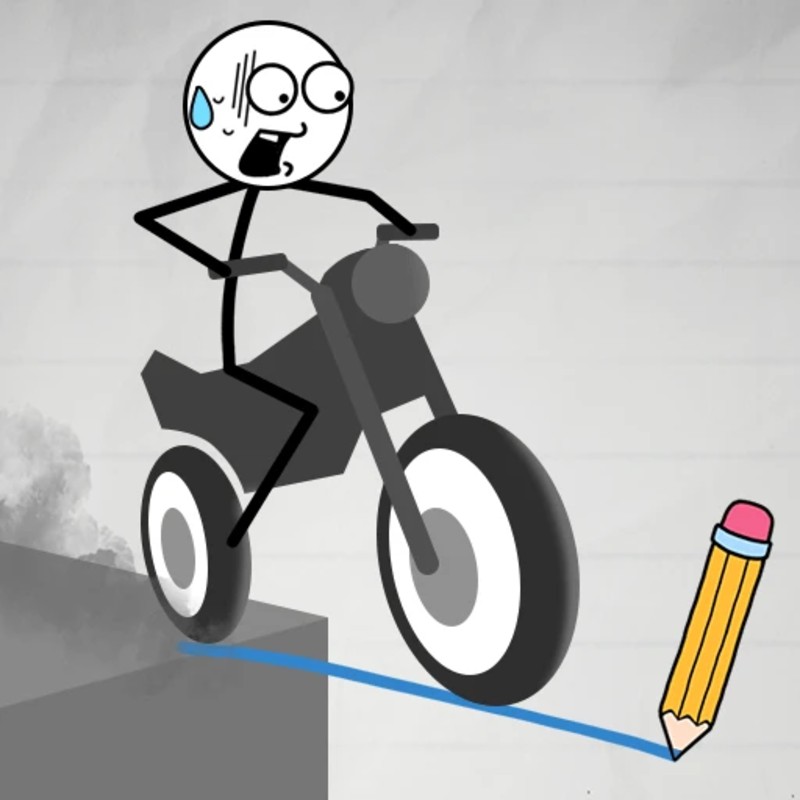
Draw Bridge Puzzle 2 (alternatively known as Draw Bridge: Save the Car 2 in the 2026 expansion) is a viral, brain-teasing physics puzzle game that challenges your understanding of spatial engineering and structural balance. Shifting away from rigid, pre-built structural elements, the game task is purely free-form: players must draw a single, continuous vector line to forge a bridge road capable of safely guiding a stranded vehicle across a bottomless chasm. Hosted on the Decent Games portal, the gameplay loop tests your line stability against gravity, vehicle weight distribution, and complex multi-vehicle intersection points.
🎮 Gameplay Overview
-
Continuous Line Vector Physics: The game engine translates your mouse strokes directly into physical structural mass. The line responds dynamically to real-time load stress, meaning a poorly distributed structure will stretch, sag, and catastrophically buckle under the vehicle's tires.
-
The Single-Stroke Constraint Rule: Precision is absolute. Players are restricted to a single, continuous ink line per level attempt. The moment you release your input trigger, your ink pool locks, and the vehicle immediately ignites its engine to cross your makeshift blueprint.
-
3D Multi-Vehicle Intersections: Scaling up the difficulty, advanced stages introduce multiple independent vehicles launching simultaneously from different vectors. Engineers must map non-overlapping, multi-tiered paths to prevent mid-air collisions.
-
Low-Latency Line Tension HUD: Built with optimized Unity WebGL asset rendering, the 2026 build tracks real-time structural load-bearing parameters. The line dynamically changes color under stress, indicating structural weak points before a snap occurs.
🕹️ Official Control Guide (The Architect’s Tools)
| Action Matrix | Desktop (PC / Keyboard) | Operational Tactical Blueprints Focus |
| Draw Vector Bridge | Mouse Left Click (Hold & Drag) | Trace your free-form path between the yellow structural anchors. |
| Initiate Engine Drive | Release Mouse Left Click | Lock the current line path to automatically launch the car crossing sequence. |
| Erase Flimsy Draft | U Key / Mouse Right Click | Instantly wipe the current ink stroke to clear the canvas for a re-draft. |
| 3D Orbit Perspective | A - D Keys / Arrow Keys | Rotate the camera view to peek around floating obstacles and cliffs. |
| Golden Path Blueprint | H Key | Project a temporary hint line revealing a highly stable engineering path. |
| System Level Hub | Esc Key | Pause the puzzle timeline to view stage selection charts or swap car skins. |
💡 Engineering Tactics: Winning Strategies
Master the Triangle Truss & Support Arch Meta 📐
Do not simply trace a straight, linear horizontal line from cliff to cliff when bridging wide chasms. A straight line has zero structural load-bearing support in this engine, causing the center of the road to immediately snap under the car's physical weight. Instead, incorporate basic civil engineering logic: draw downward Support Arches that curve underneath the main roadbed, or trace self-supporting triangular loops against local solid surfaces. Distributing the downward gravitational pressure across an arched vector keeps the center from buckling.
Manage Ascent and Descent Kinetic Momentum 🏎️
The vehicle operates on realistic traction parameters; if your drawn roadway transitions into a sudden, steep vertical wall, the car will spin its tires, lose forward momentum, and slide backward into the void. To conquer steep inclines, smooth out your vector line into a gradual, sweeping curve. Conversely, when guiding a vehicle down a steep drop-off gap, draw a prominent horizontal "Lip" or ramp curve at the absolute tail end of your bridge line. This upward tilt catches the chassis, preventing the car from nose-diving directly into the lower ravine edge.
Construct Split-Tier Path Networks for Multi-Vehicles 💥
Level 50+ gauntlets introduce the complex challenge of managing two separate cars executing simultaneous crossing paths. If you draw a single intersecting crossing path, the vehicles' physics hulls will collide mid-air, destroying both targets. To resolve these spatial dilemmas, utilize your camera orbit controls to map separate vertical layers. Trace a sweeping, high-altitude "Upper" arc path for your first vehicle while dipping a low-clearance "Lower" suspension loop for the second, isolating their travel lanes completely.
Anchor the Vector Mesh Line to Yellow Nodes ⚓
Avoid the critical mistake of initiating your drawing path a few pixels off-center from the glowing level markers. The engine's collision checking script is highly binary: your free-form line must make direct contact with the Glowing Yellow Anchor Points fixed on the canyon walls. If your drawn line is "floating" unanchored by even a single pixel boundary, the path will possess zero structural support, causing your vehicle to slip right through the mesh and fall into the water. Always start your stroke precisely inside the center of the first anchor node and close it directly inside the target node.
🌍 Preservation & Device Compatibility
Play Draw Bridge Puzzle 2 unblocked securely at work or school via verified Decent Games preservation portals. Powered by an ultra-lightweight HTML5 wrapper running a hardware-accelerated Unity WebGL physics engine, the platform processes complex vector rendering, multi-body weight calculations, and responsive input tracking cleanly at a locked, stable 60FPS. The system naturally steers clear of strict institutional, corporate, and educational network firewalls, rendering lag-free logic puzzle sessions directly inside modern internet browser tabs on Chromebooks, standard laptops, and desktop computers with no standalone client downloads required.
![[GAMENAME]](/[BGIMGURL])
 [RATE]